
How to transfer data from Quickbooks to Tally
An excel sheet will be created with your data, but it will be without a customer and suppliers list.
Set the format of the exported master excel sheet as Ledger-Chart-Group.
Now, from the Menu bar
Set the exported Customer or Supplier master as:
Customer- Chart- Grouping- Contact-Phone- Email
You can change the grouping accordingly for customers and suppliers.
3. Exporting Transactions
a. Go to the Menu bar
b. Click >>>>Reports
c. Select>>>> Custom Reports
d. Click >>>> Transaction
e. Select the period from and to
After choosing the period using From and To date, you can choose the columns you require to be exported to excel in the Columns Sections and click on the Filters Tab.
Now,
a. From Choose Filter Tab, Select>>>> Transaction Type
b.Select “Transaction Type” from the drop-down.
c. Press the OK button
d. Go to Transaction details >>>>Click on Excel >>>> Select Create New Worksheet
e. Click >>>> Advanced
Now, go to the Advanced Excel option. Make sure to check and uncheck the QuickBooks Options, Excel Options, and Printing Options according to your export needs.
Click OK and data will be exported to excel.
4. Manual Data Entry in Tally
Once you get your files exported from QuickBooks then you will be required to enter all that data into Tally
The best way to migrate data from Quickbooks to Tally is via an accounting automation tool
Suvit is an AI-powered accounting automation tool that will migrate data from Quickbooks to Tally successfully eliminating clerical work.
Once you have the files ready after exporting, you can upload the files directly in a few clicks.
The process has multiple benefits
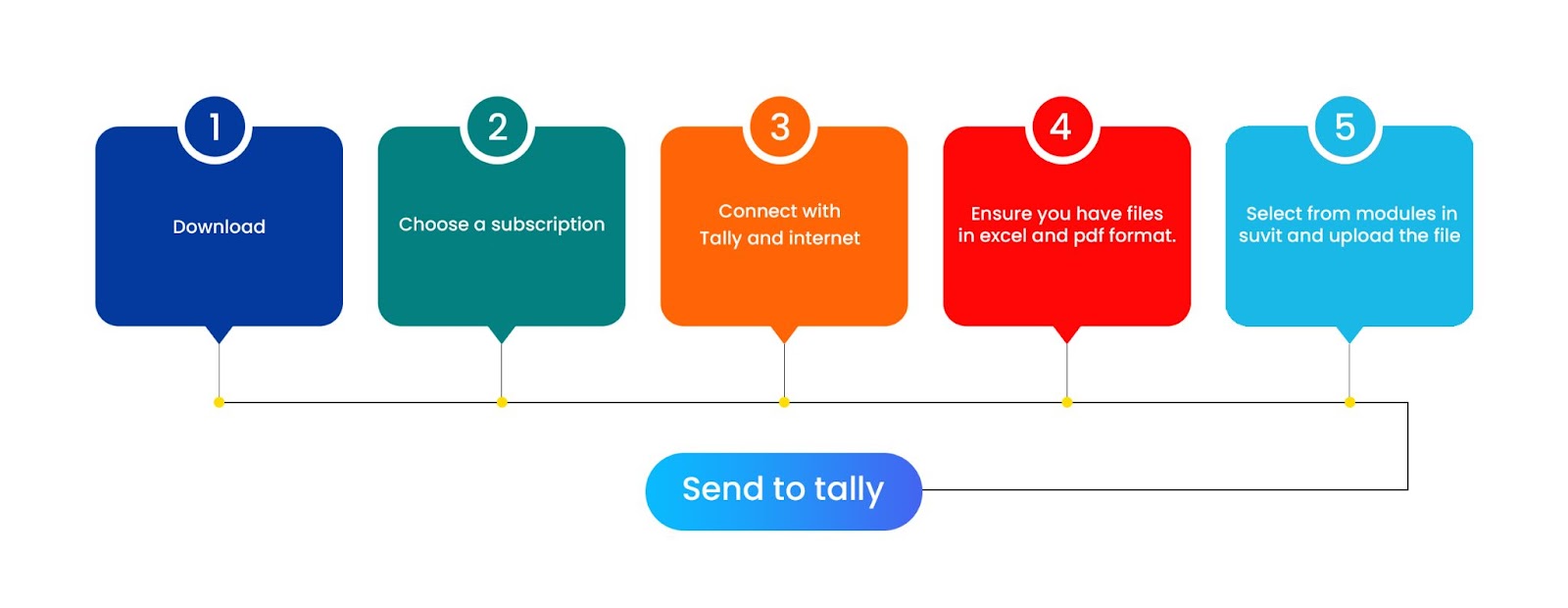
What otherwise would have been hours of clerical work, Suvit automation has done it in a fraction of the time.
Save hours of your time and avoid tedious manual work of data entry. This makes the entire process fast, easy and efficient. There are many added benefits of Suvit if you are an accountant or a business owner which you can explore here.
Apart from that you can attend live sessions with our team for more information.
Download Software
https://partner.suvit.io/register?refCode=NEXT17

No comments:
Post a Comment